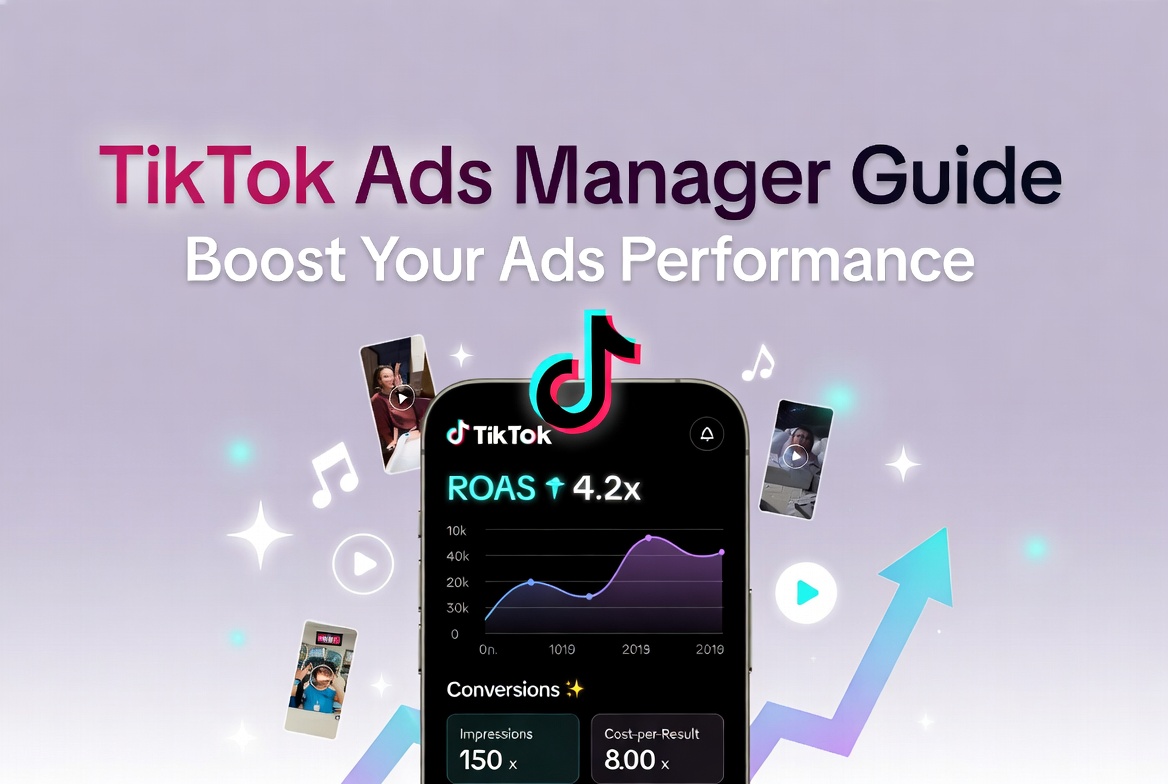
In today’s fast-moving social media landscape, TikTok stands out as a goldmine for brands looking to capture attention and drive real business results. With billions of daily views and a highly engaged audience, the platform offers unmatched opportunities for discovery and conversion. The secret weapon? TikTok Ads Manager—the powerful, user-friendly dashboard that puts professional-grade advertising tools at your fingertips.
If you’re ready to move beyond guesswork and start running campaigns that actually deliver, this TikTok Ads Manager guide will show you exactly how. From setup to scaling, you’ll discover practical strategies to boost your ads performance, improve ROI, and create scroll-stopping content that feels right at home on TikTok.
What Is TikTok Ads Manager?
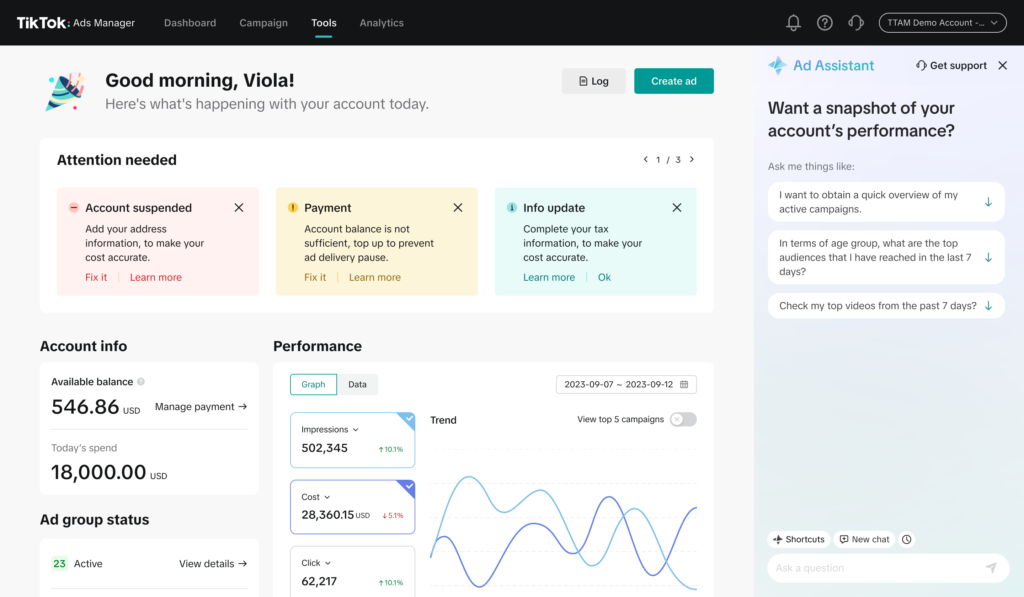
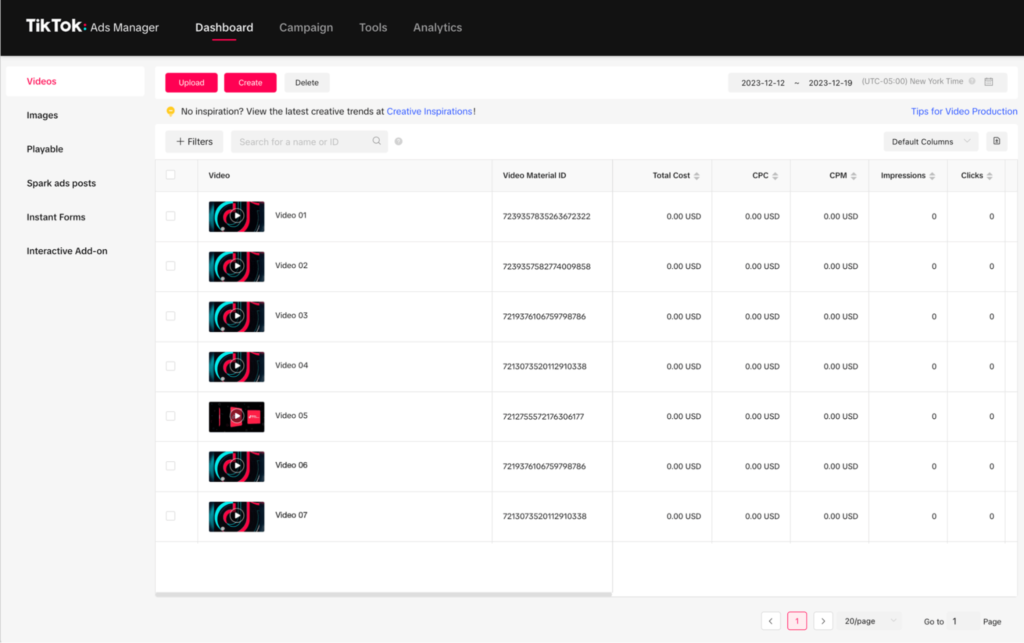
TikTok Ads Manager is the official advertising platform built specifically for the TikTok ecosystem. It serves as your all-in-one control center for creating, launching, monitoring, and optimizing paid campaigns that reach the right people at the right moment.
Unlike generic ad tools, TikTok Ads Manager is designed around short-form video behavior. Your ads appear seamlessly in the For You feed, blending naturally with organic content while giving you precise control over targeting, budget, and creative delivery. The platform supports the full customer journey—awareness, consideration, and conversion—making it ideal for businesses of every size.
Campaigns are organized in three simple layers:
- Campaign (choose your objective)
- Ad group (targeting, budget, schedule)
- Ad (creative assets and calls-to-action)
This structure keeps things organized while giving you the flexibility to test and refine quickly.
Why TikTok Ads Manager Is a Game-Changer in 2026
The numbers don’t lie: TikTok continues to grow as a top-performing advertising channel. Users aren’t just watching—they’re buying, signing up, and sharing. TikTok Ads Manager helps you tap into that momentum with smart automation and creative-focused features that other platforms simply don’t match.
Key advantages include:
- Highly engaged, intent-driven audiences
- AI-powered creative optimization that saves time and improves results
- Flexible budgeting with smart bidding options
- Accurate tracking through the TikTok Pixel and Events API
- Native ad formats that feel entertaining instead of salesy
Businesses that master TikTok Ads Manager often see stronger engagement rates and better cost efficiency compared to traditional platforms—especially when they focus on authentic, fun content.
Step-by-Step: How to Set Up TikTok Ads Manager
Getting started is quick and straightforward. Follow these steps to launch your first campaign confidently:
- Head to ads.tiktok.com and click “Sign Up.”
- Enter your business details, timezone, and currency. Select Advanced Mode for full features.
- Verify your account and add a payment method.
- Install the TikTok Pixel on your website (or use the Events API for server-side tracking).
- Connect your TikTok Business Center for extra integrations like Spark Ads.
Pro tip: Begin with a small daily budget to give the algorithm time to learn. Once you see consistent performance, scale confidently.
Essential Features to Boost Your Ads Performance
TikTok Ads Manager is packed with tools that help you work smarter:
- Creative Center & Smart Creative Tools: Turn existing assets into high-performing TikTok videos automatically.
- Advanced Audience Targeting: Build lookalike audiences, interest-based segments, and custom lists.
- Smart Bidding Options: Choose Lowest Cost for maximum reach or Cost Cap to control expenses.
- Real-Time Analytics: Track everything from view-through rates to conversions in one clean dashboard.
- Automation Rules: Automatically pause losers and scale winners without constant manual checks.
These features let you focus on strategy and creativity while the platform handles the heavy optimization work.
Proven Strategies to Enhance Your TikTok Ads Performance
Want better results right away? Use these actionable tips:
- Create vertical 9:16 videos that feel native—think real people, trending audio, and text overlays that pop in the first three seconds.
- Hook viewers instantly with a strong opening (question, surprising visual, or relatable story).
- Keep videos 15–30 seconds and always end with a clear, benefit-driven CTA.
- Test 3–5 creative variations per ad group and refresh them every 7–14 days to fight ad fatigue.
- Start with broad targeting, then layer in lookalikes from your best customers.
- Give campaigns 48–72 hours in the learning phase before making big changes.
- Monitor key metrics: cost per result, ROAS, and completion rate.
Real-world example: An e-commerce fashion brand used UGC-style videos with trending sounds and broad targeting. Within two weeks, they achieved a 5x ROAS by simply letting the algorithm optimize toward “Purchase” events.
Measuring and Optimizing for Continuous Improvement
Data turns good campaigns into great ones. Focus on these performance indicators inside TikTok Ads Manager:
- Engagement metrics (views, completion rate)
- Efficiency metrics (CPC, CPM, cost per result)
- Business metrics (ROAS, CPA, revenue generated)
Use the built-in insights and automated reports to spot what’s working. Pause underperformers quickly and double down on winners. The Creative Library also shows trending formats in your industry—so you can stay ahead of the curve.
Mistakes That Hurt Your Ads Performance (And How to Avoid Them)
Even smart marketers can fall into these traps:
- Using overly corporate or polished creatives that don’t match TikTok’s vibe
- Narrow targeting too early, which raises costs and limits reach
- Editing campaigns constantly during the learning phase
- Running only one creative per ad group
- Ignoring mobile page speed on landing pages
Stick to TikTok’s ad policies, keep disclosures clear, and always prioritize authenticity.
Final Thoughts: Take Your TikTok Advertising to the Next Level
TikTok Ads Manager gives you everything you need to create high-performing, cost-effective campaigns that feel native and drive real results. By combining smart platform tools with scroll-stopping creative and continuous optimization, you can consistently boost your ads performance and grow your business on one of the world’s most engaging platforms.
Key takeaways:
- Set up your account properly and install tracking early.
- Prioritize authentic, entertaining creatives that match the TikTok style.
- Test relentlessly, trust the algorithm after the learning phase, and scale what works.
- Measure the right metrics and optimize based on real data.
Ready to see stronger results from your TikTok ads? At SMMPro, we help brands build and manage high-ROI campaigns using TikTok Ads Manager every day. Book a free consultation today and let’s create a strategy tailored to your goals.
FAQ
Frequently Asked Questions About TikTok Ads Manager
TikTok Ads Manager is the official self-serve advertising platform for TikTok. It allows businesses to create, launch, manage, and optimize paid campaigns directly within the TikTok ecosystem. It supports full-funnel objectives — from awareness and traffic to conversions and sales — and is designed specifically for short-form video advertising.
Setting up is quick and free. Go to ads.tiktok.com, sign up with your business details, verify your account, add a payment method, and install the TikTok Pixel. Choose Advanced Mode for full features. Most users are ready to launch their first campaign in under 15 minutes.
You can start with as little as $20–$50 per day. TikTok Ads Manager offers flexible daily or lifetime budgets. Beginners should begin small to let the algorithm learn, then scale winning campaigns once you see consistent results.
The best-performing ads feel native to TikTok — vertical 9:16 videos, 15–30 seconds long, with a strong hook in the first 3 seconds, trending audio, text overlays, and authentic UGC-style content. Always end with a clear call-to-action (Shop Now, Learn More, etc.).
Focus on three things: • Test 3–5 creative variations per ad group • Use broad targeting first, then layer in lookalike audiences • Give campaigns 48–72 hours in the learning phase before making changes Regularly refresh creatives every 7–14 days and monitor ROAS and cost-per-result in the dashboard.
Yes. The TikTok Pixel (or Events API) is essential for tracking conversions, building custom and lookalike audiences, and measuring true ROI. Without it, you’re essentially flying blind and missing out on advanced optimization features.
Common reasons include: corporate-looking creatives, narrow targeting too early, changing budget or settings during the learning phase, or running only one creative per ad group. Fix these and let the algorithm optimize — performance usually improves significantly within a week.
Absolutely. The platform is beginner-friendly with smart automation, AI creative tools, and flexible budgets. Many small businesses and startups achieve excellent results by starting small and focusing on authentic, fun content that matches TikTok’s vibe.




What do you think?
This guide really breaks down how powerful TikTok Ads Manager can be when used strategically. I especially appreciated the emphasis on moving beyond guesswork—setting up clear objectives and tracking performance from the start makes such a difference. It’s great to see a resource that balances simplicity with actionable insights for both beginners and those looking to scale.
The point about moving beyond guesswork really resonates. I’ve found that testing different creative formats while closely tracking performance metrics is key to achieving meaningful results on TikTok. It’s helpful to have a clear framework like this guide to make data-driven decisions without getting overwhelmed.
It’s fascinating how TikTok’s unique algorithm continues to redefine what ‘conversions’ look like for brands compared to traditional platforms. The guide’s emphasis on moving beyond just views to capture genuine business results really highlights the importance of tailored creative strategies. Thanks for breaking down how to leverage this engagement for actual ROI.
The article rightly emphasizes that TikTok’s real power lies in reaching a highly engaged, scrolling-native audience rather than just generic ad impressions. It’s a great reminder that success here requires shifting from traditional polished ads to authentic, creative-first content that resonates with the platform’s specific vibe.