

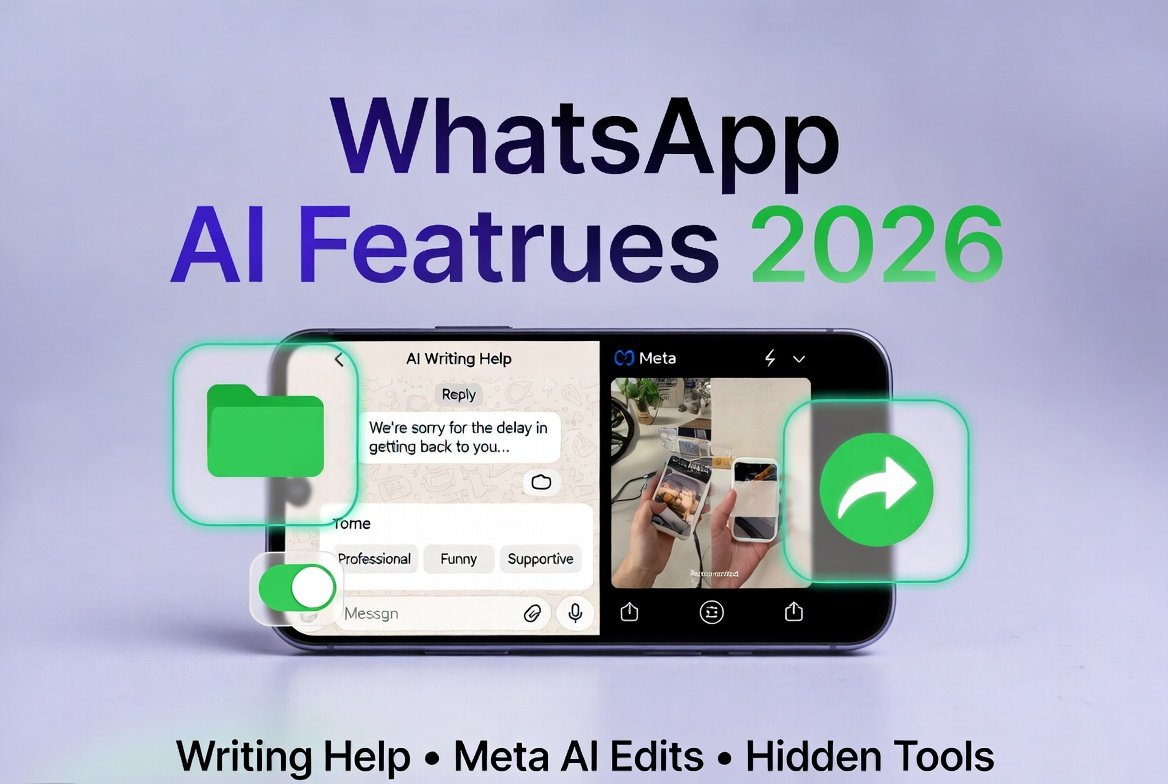
In the fast-paced world of social media marketing, every second counts. Whether you’re crafting client responses, managing community chats, or creating scroll-stopping visuals, WhatsApp has just leveled up with its March 2026 update. The new WhatsApp AI features 2026 integrate powerful tools like AI Writing Help and Meta AI photo edits directly into your chats—plus several hidden gems that streamline daily workflows.
For SMM professionals and businesses relying on WhatsApp for customer engagement, these updates aren’t just convenient—they’re game-changers. Faster, smarter replies. On-the-fly photo enhancements. And practical utilities that reduce friction in multi-device campaigns. This guide breaks it all down with actionable steps, real-world marketing examples, and pro tips to help you stay ahead in 2026.
The March 2026 WhatsApp Update: Why It Matters for Marketers
Rolled out on March 26, 2026, these WhatsApp new AI features 2026 build on Meta’s push to make the app a true productivity hub. At the heart are two AI-powered tools—WhatsApp AI Writing Help and in-chat Meta AI photo edits—alongside storage management, dual-account support on iOS, and smoother cross-platform transfers.
What sets this apart for social media marketers? These features keep everything inside WhatsApp, eliminating the need to switch between apps like ChatGPT or photo editors. That means quicker response times for customer service, more polished visual content for Stories and broadcasts, and better compliance with Meta’s evolving 2026 AI policy, which prioritizes structured, purpose-driven tools over general-purpose bots.
AI Writing Help: Draft Context-Aware Replies That Sound Human
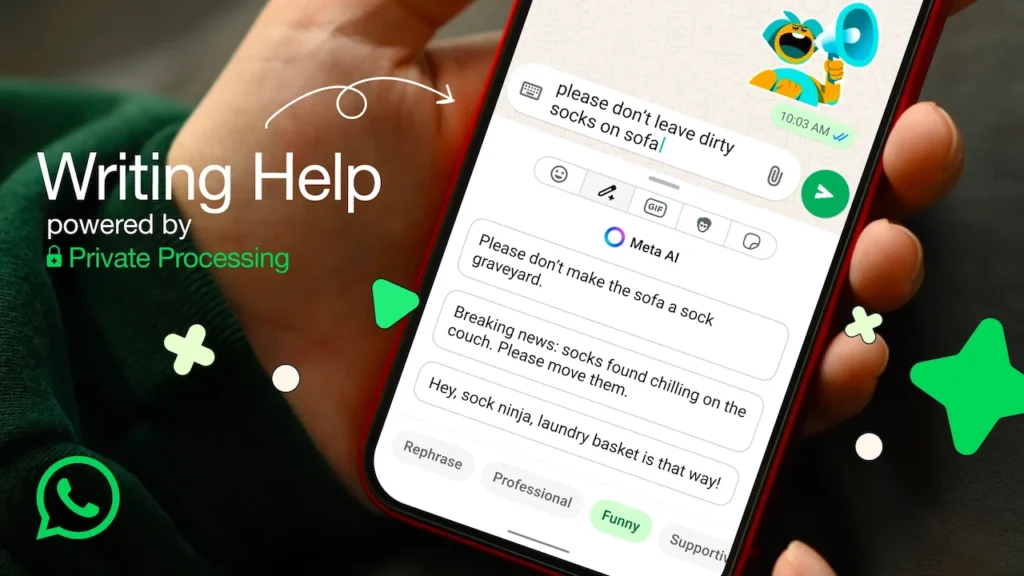
Gone are the days of staring at a blank reply box during peak inquiry hours. The upgraded WhatsApp AI Writing Help now analyzes the full conversation thread and suggests complete, tone-appropriate responses—whether you need professional, friendly, or creative wording.
How to activate it in seconds:
- Open any chat and begin typing (or tap the AI prompt that appears).
- Select the Meta AI Writing Help option.
- Choose a style: Professional, Funny, Supportive, or Proofread.
- Review, tweak, and send—or regenerate for alternatives.
Marketing example in action: A customer messages your brand about a delayed order. Instead of generic copy-paste, Writing Help drafts: “We’re truly sorry for the delay—your package is now en route with priority tracking. Here’s a 10% discount code for your next purchase as a thank you.” It saves time while maintaining your brand voice.
Pro tip for SMM pros: Use it for high-volume community management or influencer collaborations. Combine with WhatsApp Business analytics to track reply speed improvements—often cutting response time by 40% or more.
Privacy remains ironclad thanks to Private Processing: your chats stay end-to-end encrypted, and drafts aren’t used for training.
Meta AI Photo Edits: Professional-Grade Touch-Ups Without Leaving the App
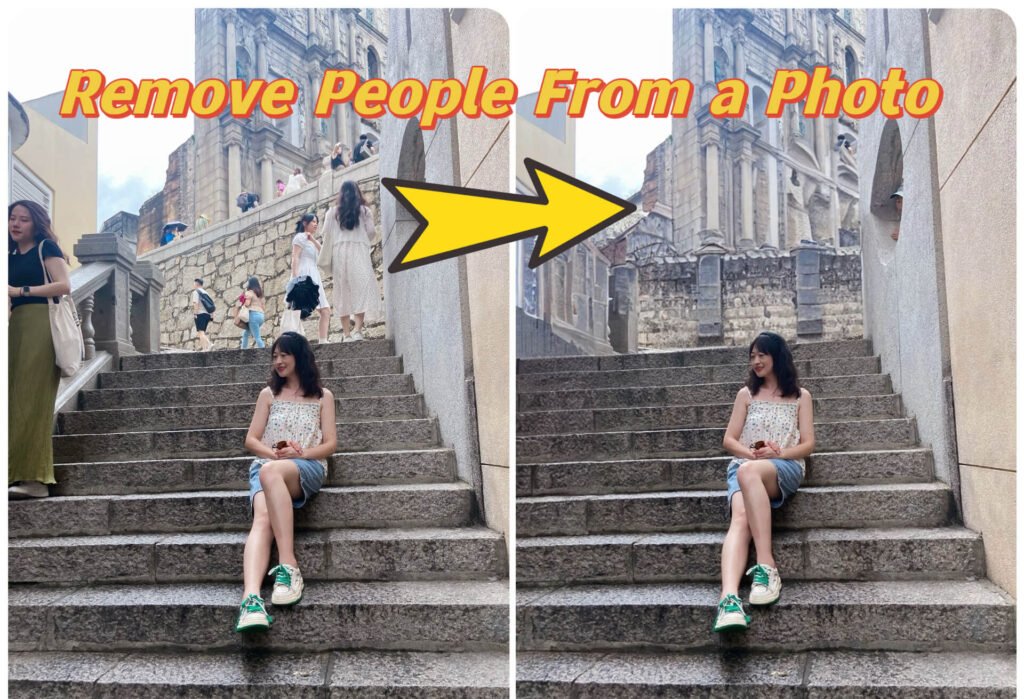
Visual content drives engagement, and Meta AI photo edits in WhatsApp let you refine images right before hitting send. Remove distractions, swap backgrounds, apply artistic styles, or even animate static shots—all powered by Meta AI.
Step-by-step for marketers:
- Attach or capture a photo in any chat.
- Tap “Effects” or the Meta AI edit icon.
- Describe your changes in plain language (e.g., “remove background clutter and add a subtle product logo”).
- Preview variations and select the best one.
Real-world use case: Preparing a product launch Story? Take a quick photo of your latest drop, prompt Meta AI to “change background to a clean minimalist studio,” and share instantly. No more exporting to Canva or Photoshop mid-campaign.
These edits shine for quick content creation—think limited-time offers, behind-the-scenes reels, or personalized client visuals. Just remember: edited photos are processed via Meta’s servers (not end-to-end encrypted like text), so reserve them for non-sensitive marketing assets.
Hidden Features That Quietly Boost Efficiency
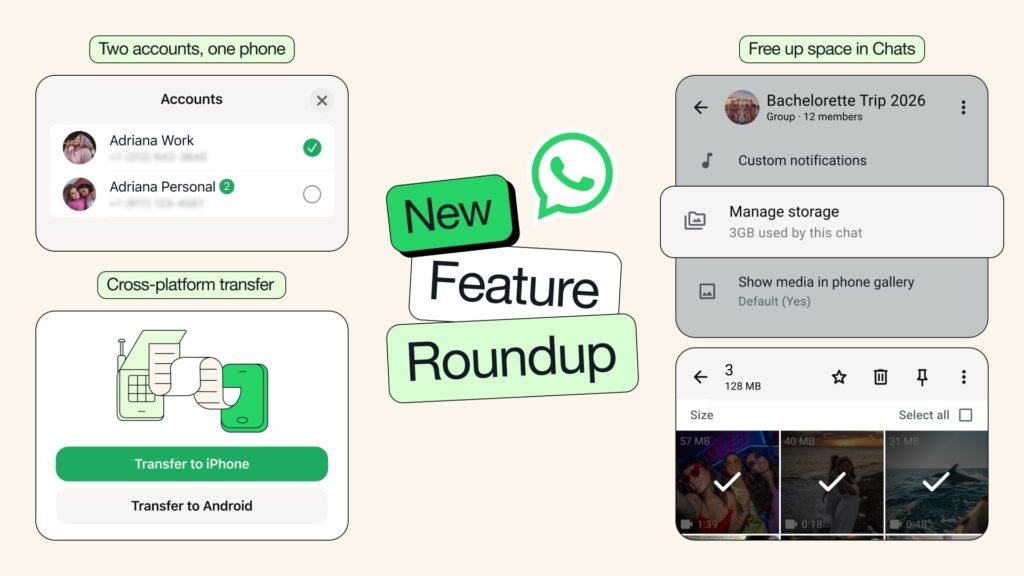
Beyond the flashy AI tools, the update includes underrated utilities perfect for busy SMM teams:
- Smart Storage Management: Dive into any chat, tap the contact name, and access “Manage storage.” Instantly see which media hogs space and bulk-delete without losing conversation history. Ideal for clearing out old campaign assets before archiving.
- Dual Accounts on iOS: Finally, run personal and business profiles side-by-side on iPhone. Switch seamlessly between client accounts and your agency profile.
- Enhanced Cross-Platform Chat Transfer: Move entire histories (including media) between Android and iOS with minimal hassle—crucial when team members upgrade devices mid-campaign.
These “hidden” additions reduce admin work, letting you focus on strategy rather than logistics.
Privacy, Best Practices & Strategic Integration for SMM Success
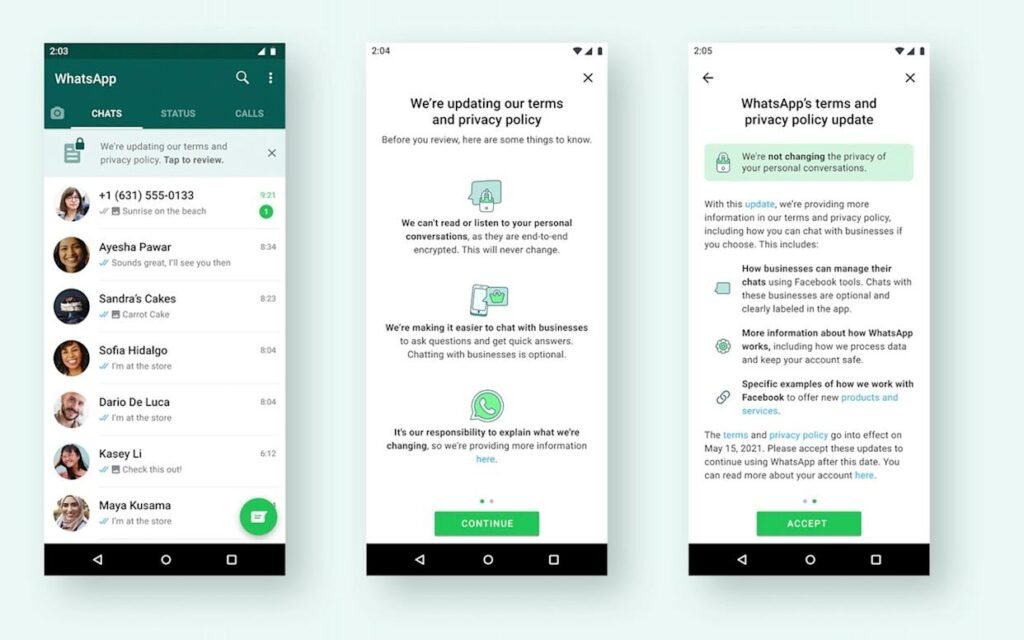
Meta emphasizes privacy across these WhatsApp AI features 2026. Writing Help operates with Private Processing, while photo edits give you full control to delete history anytime. For businesses, this aligns perfectly with the 2026 AI policy that phases out third-party general-purpose chatbots, encouraging reliance on Meta’s secure, in-house tools.
Actionable SMM advice:
- Test features in a small group chat first to refine prompts.
- Document workflows: Create internal templates for common reply tones.
- Measure impact: Track metrics like response rate and engagement on AI-assisted content.
- Stay compliant: Use these tools for structured tasks (support, promotions) rather than open-ended AI conversations.
Availability is expanding globally, with initial support for English and select languages. Update your app to the latest version and enable Private Processing in settings if features aren’t visible yet.
Transforming Your WhatsApp Strategy in 2026
These WhatsApp AI features 2026—from AI Writing Help to Meta AI photo edits and hidden utilities—empower social media marketers to communicate faster, create visuals that pop, and manage operations more efficiently. The result? Stronger customer relationships, higher engagement, and a competitive edge in an AI-first landscape.
The biggest takeaway: WhatsApp is no longer just a messaging app—it’s becoming an essential marketing command center. Experiment today, measure tomorrow, and watch your campaigns scale smarter.
Ready to implement these tools in your next client strategy? Share your favorite use case in the comments below, or drop us a line if you’d like a customized SMM checklist for WhatsApp in 2026. Stay ahead—update now and start leveraging the power of WhatsApp new AI features 2026.
Frequently Asked Questions
The March 26, 2026 update introduced AI Writing Help (context-aware full message drafting), Meta AI photo edits (remove objects, change backgrounds, apply styles), plus hidden utilities like smart storage management, dual accounts on iOS, and improved cross-platform chat transfer. These tools are designed to boost productivity for marketers and businesses without leaving the app.
Start typing in any chat, tap the Meta AI pencil icon (or the stickers icon then Writing Help), and choose a tone: Professional, Funny, Supportive, or Proofread. The AI reads the full conversation and suggests complete replies. SMM teams use it to cut response time by up to 40% while keeping brand voice consistent. You can edit or regenerate suggestions instantly.
Yes. It uses Private Processing — your drafts are encrypted end-to-end before reaching Meta’s servers. No human at Meta reads your chats, and the data isn’t used to train models unless you explicitly share with Meta AI. You can disable it anytime in Settings → Privacy → Private Processing.
Attach a photo, tap Effects → Edit, then type a prompt like “remove background people” or “change to studio background.” The AI instantly generates a new version you can send directly. Perfect for quick product shots, campaign visuals, or client deliverables — no need for Canva or Photoshop.
The rollout is gradual and region-specific. Update WhatsApp to the latest version, enable Private Processing in Settings, and wait for your account (features started appearing widely in late March 2026). If still missing, restart the app or check availability in your country via the official WhatsApp blog.
Starting January 15, 2026, Meta banned general-purpose third-party chatbots (like ChatGPT-style open conversations). Only structured, purpose-specific bots for customer support, order tracking, or promotions are allowed. The new in-app AI tools (Writing Help & Meta AI edits) are fully compliant and encouraged for SMM teams.
Absolutely — as long as it’s structured and business-focused. The built-in WhatsApp AI features 2026 are the safest and most efficient option. Many SMM agencies now combine them with WhatsApp Business API for automated yet compliant workflows.
Beyond AI, you get smart storage management (see exactly what’s eating space per chat and bulk-delete media), dual accounts on iOS, and faster cross-platform chat transfer. These save hours of admin work for marketers handling multiple client accounts or large campaign groups.
Go to Settings → Privacy → Private Processing and toggle it off. You can also ignore AI suggestions or delete individual Meta AI interactions from chat history. The features are completely optional.
Not yet — initial rollout covers English, Indonesian, Portuguese, and Spanish, with more languages coming later in 2026. Full global availability is phased; check the WhatsApp Help Center or official blog for your region’s status.



What do you think?
The new WhatsApp AI features 2026 really highlight how AI is becoming essential for efficient social media management. I especially appreciate the integration of AI writing help and photo edits, as they can save a lot of time when crafting responses or visuals on the fly. It’s exciting to see how these tools are making it easier to maintain a consistent and engaging presence across platforms.