
Business owners know that missing a customer message often means missing a sale. Today’s consumers demand immediate responses, regardless of the time zone or hour. Enter Meta AI, the powerful technology driving the new Meta Business Agent on WhatsApp.
If you are struggling to keep up with repetitive questions or losing leads because you cannot be online around the clock, this intelligent tool is your perfect solution. Built directly into the WhatsApp Business app, this highly capable agent works tirelessly to capture leads, recommend products, and answer support queries.
Unlike clunky legacy chatbots that frustrate users, the modern WhatsApp AI agent actually learns your unique brand voice. It replies just like you would, creating a personalized, seamless experience for your customers worldwide.
In this comprehensive guide, we will explore everything you need to know about setting up and maximizing your Meta agent. Whether you want to automate basic questions or scale your global customer service operations, the WhatsApp Business app AI is ready to help you succeed.
Table of Contents
What is the Meta Business Agent?
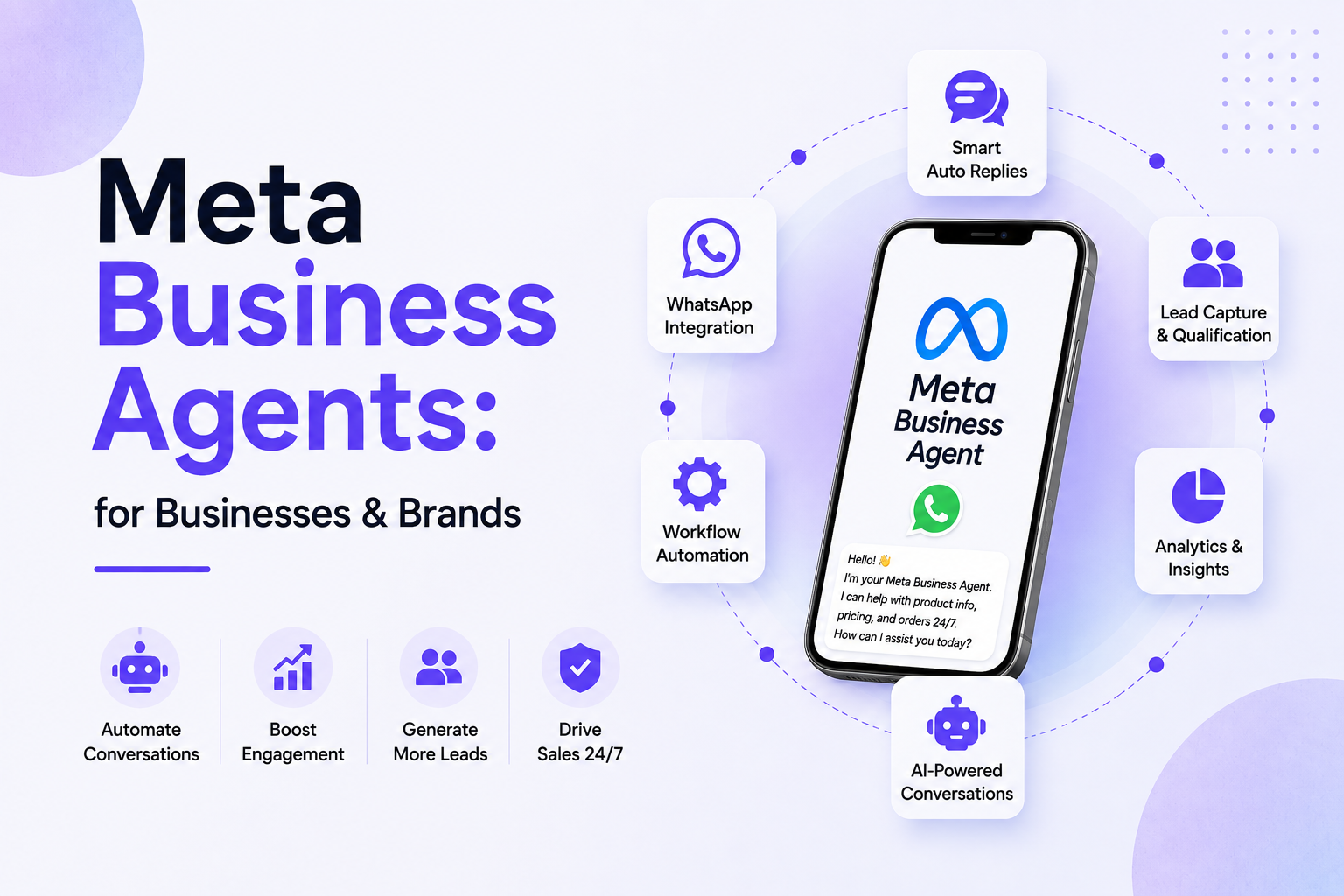
The Meta Business Agent is an advanced conversational assistant built directly into the WhatsApp Business ecosystem. Powered by Meta AI, it allows brands to automate customer interactions across Meta technologies effortlessly.
Think of this tool as a digital employee that never sleeps, takes breaks, or misses a notification. It engages customers by answering common questions, requesting necessary information, providing tailored product recommendations, and facilitating sales.
The real magic lies in how the WhatsApp AI agent learns. Instead of requiring complex coding, it studies your existing business data. By analyzing your Facebook Page posts, past WhatsApp chats, product catalogs, and linked website content, it crafts highly accurate and timely responses. This ensures that every conversation feels authentic and aligned with your specific business goals.
How Meta AI is Transforming Customer Service
Customer service expectations have shifted dramatically. Shoppers no longer tolerate waiting 24 hours for an email reply. They want instant gratification. Meta AI steps in to bridge the gap between high customer volume and limited human resources.
24/7 Availability
Your digital storefront never closes. The Meta agent handles late-night inquiries and weekend messages instantly. This constant availability prevents potential buyers from abandoning your business for a competitor who responds faster.
Smart Lead Generation
Automation is no longer just for support; it drives revenue. The WhatsApp AI can actively ask customers questions on your behalf. By gathering preferences, contact details, and specific needs, it qualifies leads before you even join the chat.
Seamless Handoff to Humans
No artificial intelligence can handle every single complex human emotion. Recognizing this, the WhatsApp Business app AI includes smart escalation. When a customer has a highly sensitive issue or a complex request, the AI gracefully transfers the chat to you. This guarantees the perfect balance between efficient automation and the essential human touch.
Key Features of the WhatsApp AI Agent
Meta ensures you are always in the driver’s seat. You maintain full authority over how the AI interacts with your buyers through four core features.
1. Knowledge Control
You decide exactly what the AI knows. You can upload product catalogs, price lists, and FAQ documents. Additionally, you can connect your business website. The AI processes this trusted information to ensure it never gives customers inaccurate details.
2. Personality Control
Your brand has a unique voice, and your AI should match it. You can define the agent’s tone by providing specific instructions. If the AI provides an answer you do not love, you can simply rewrite it. The system instantly learns from your correction and improves all future replies.
3. Audience Control
You do not have to unleash the AI on everyone at once. Audience control lets you choose who the Meta agent talks to. You can set it to respond to all incoming chats, only first-time customers, or specifically to users arriving from your “Ads that click to WhatsApp” campaigns.
4. Handoff Control
You can instruct the AI to avoid certain topics completely. If a customer mentions a refund dispute or a sensitive complaint, the AI flags the conversation and alerts you to step in manually. Once you take over, the AI observes your responses to learn for the future.
Step-by-Step Guide: How to Set Up Your Meta Agent
Activating your new assistant requires zero technical skills. Follow these straightforward steps to get your AI running in minutes.
Step 1: Access the WhatsApp Business App
Ensure you have the latest version of the WhatsApp Business app installed and your phone number registered. Open the app, navigate to the Tools menu, and select Meta Business Agent. Authenticate your account and tap confirm to begin the setup.
Step 2: Train Your AI Assistant
This is the most crucial step. Connect your business data sources. Link your Facebook Page, upload your latest product catalog, and add your website URL. Allow the system to scan your past customer chats. The more high-quality data you provide, the smarter your agent becomes.
Step 3: Test the Experience
Before going live, chat with your AI exactly like a customer would. Ask it about your business hours, request a product recommendation, and inquire about shipping costs. Review the replies carefully. Use the Personality Control feature to tweak the tone or rewrite answers that need improvement.
Step 4: Activate and Monitor
Once you are happy with the performance, choose your target audience using Audience Control. Turn the AI on. Check back frequently during the first few weeks to monitor conversations and handle any manual handoffs.
Comparison: Human Support vs. WhatsApp AI
| Feature | WhatsApp AI Agent | Human Support Staff |
|---|---|---|
| Response Time | Instantaneous (Under 1 second) | Minutes to hours |
| Availability | 24/7/365 | Set business hours |
| Scalability | Handles infinite chats simultaneously | Limited to 1–3 chats at a time |
| Data Processing | Recalls catalog items instantly | Requires manual searching |
| Complex Empathy | Basic conversational tone | High emotional intelligence |
| Best For | FAQs, lead capture, initial sales | Disputes, custom orders, VIP clients |
Real-World Use Cases for the WhatsApp Business App AI
Businesses worldwide are already leveraging this technology to scale their operations. Here are practical ways to use it.
E-commerce and Retail Sales
A customer messages a clothing boutique asking for summer dresses. The Meta business agent instantly replies with photos, prices, and links from the uploaded catalog. The customer makes a purchase without a human ever intervening.
Appointment Booking and Services
A local salon uses the WhatsApp AI to handle booking requests. The AI asks the customer what service they need and what time works best. It collects this data and alerts the salon owner to confirm the appointment, saving hours of back-and-forth texting.
High-Volume Ad Campaigns
A business runs a Facebook Ad that clicks directly to WhatsApp. Suddenly, 500 people message the business at once. Instead of the owner becoming overwhelmed, the WhatsApp AI greets every single user instantly, answers their questions about the ad, and filters out the highest-quality leads.
Expert Tips for Optimizing Your Meta AI Business Agent
To get the absolute best results from your conversational AI, follow these proven best practices.
Keep Your Data Fresh: If you change your prices or run out of stock, update your WhatsApp catalog immediately. The AI can only be as accurate as the data you feed it.
Embrace Multi-Language Support: The Meta agent supports multiple languages. If you serve an international audience, ensure your foundational documents reflect this so the AI can assist global customers naturally.
Audit Conversations Weekly: Do not just “set it and forget it.” Read through the AI’s chat logs every week. Identify common questions it struggles with and rewrite those answers to improve its machine learning model.
Use Clear Handoff Rules: Clearly define what topics require human intervention. Train your team to respond quickly when the AI flags a conversation for manual takeover.
Common Mistakes to Avoid
Even the smartest tools fail if used incorrectly. Avoid these common pitfalls.
Providing Insufficient Training Data
If you turn on the AI without linking a catalog, a website, or a detailed FAQ sheet, it will not know how to help your customers. Always invest time in the Knowledge Control setup phase.
Sounding Too Robotic
While it is an AI, you want a human-like experience. Do not leave the default tone if it does not match your brand. Take the time to inject your brand’s personality into the initial prompts and rewritten answers.
Ignoring Esculated Chats
When the AI hands a chat over to you, the customer is waiting. Ignoring these flagged messages leads to extreme frustration. Always treat AI handoffs as high-priority notifications.
In conclusion
The future of conversational commerce is here. Implementing the Meta AI powered agent on your WhatsApp Business app is no longer just a luxury; it is a competitive necessity.
By offering 24/7 availability, intelligent product recommendations, and instant query resolution, the Meta Business Agent empowers you to scale your operations without burning out. It takes over the repetitive, time-consuming tasks, giving you the freedom to focus on high-value business strategy and building deep customer relationships.
Stop letting valuable leads slip through the cracks while you sleep or work on other tasks. Open your WhatsApp Business app today, set up your personalized WhatsApp AI agent, and watch your customer satisfaction and sales soar.
FAQ
Frequently Asked Questions (FAQs)
It is an AI-powered conversational assistant designed for the WhatsApp Business app. It automatically replies to customers, answers questions, shares products, and captures leads 24/7.
Currently, the feature is available within the WhatsApp Business app. While the app itself is free, businesses should check their local market eligibility, as Meta frequently rolls out features to select regions progressively.
No. Zero coding is required. Meta designed the interface to be incredibly user-friendly. You simply toggle settings, link your existing Facebook or website data, and the AI builds itself.
It learns directly from you. It scans your linked Facebook Page, your website, the product catalogs you upload, and your historical chat logs to formulate accurate, business-specific answers.
Yes. Through Audience Control, you can limit the AI. For example, you can set it to only interact with brand-new customers, leaving your returning VIP clients entirely to human staff.
The AI is programmed with a Handoff Control feature. When it encounters a question it cannot answer, or a topic you have flagged as sensitive, it politely pauses the chat and alerts you to take over manually.
Yes, the AI offers multi-language support. This makes it incredibly easy to scale your business internationally without hiring specialized multilingual support agents.
Yes. The tool operates strictly under Meta’s established Privacy Protections, Trust & Safety guidelines, and Data Policies, ensuring secure conversational commerce.