
Building a fast, attractive website used to require weeks of design work, custom code, and significant capital. If you did not know HTML or CSS, you had to hire a agency or wrestle with complex builder plugins.
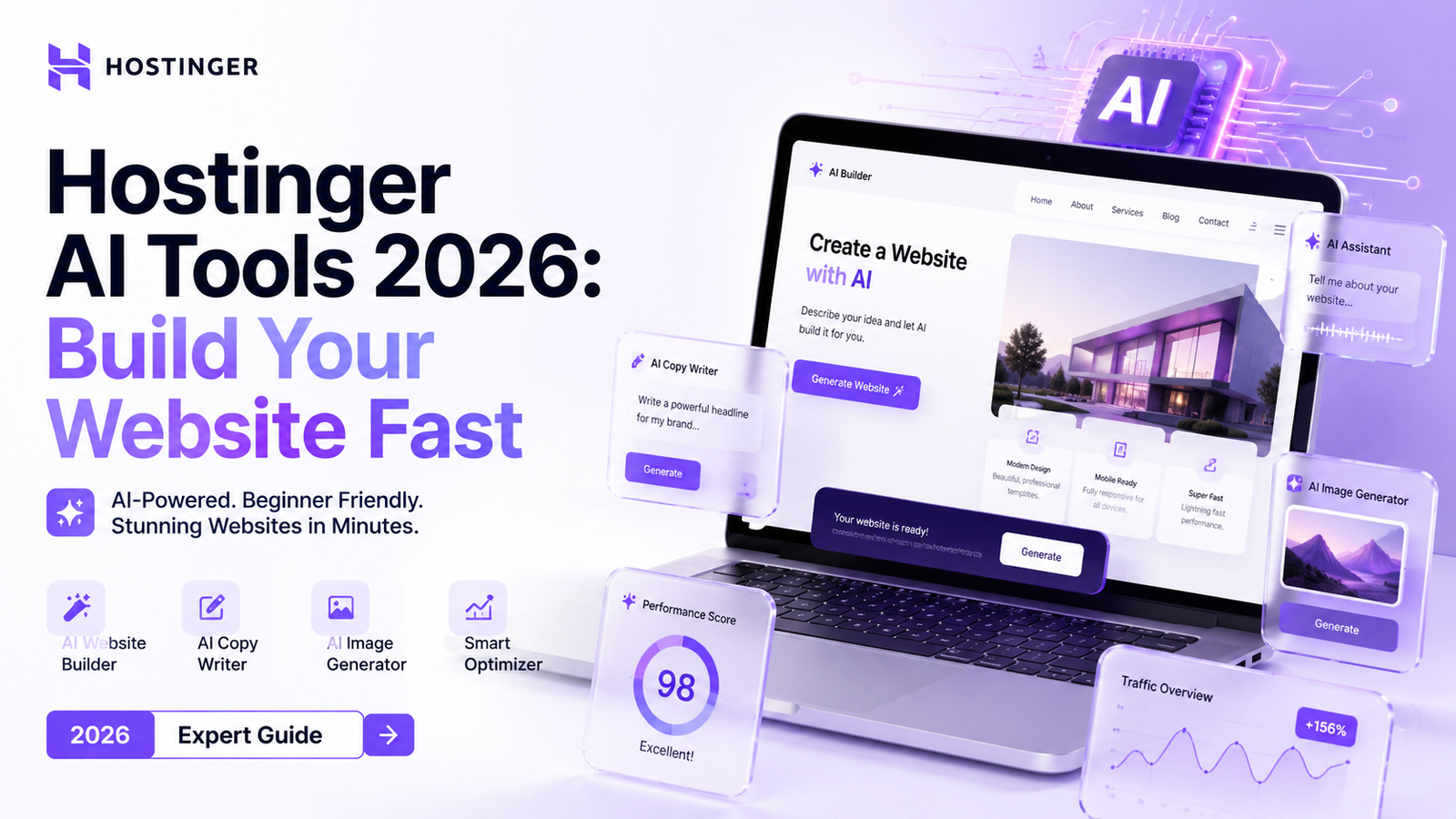
That workflow is officially outdated. The release of Hostinger AI tools 2026 has shifted web creation from manual development to conversational setup. Whether launching an online shop, a business site, or a personal blog, AI handles design creation, layout drafting, and copywriting in moments.
This comprehensive guide breaks down how Hostinger’s updated software stack works. We will analyze the core tools, compare features against major industry rivals, step through a 10-minute site build, and detail expert strategies to maximize your site’s performance.
What Are Hostinger AI Tools 2026?
Hostinger has transformed from a low-cost hosting service into a fully integrated AI web creation ecosystem. The 2026 software suite uses generative machine learning models tailored specifically for web architecture, copy creation, visual design, and site maintenance.
Rather than relying on basic visual templates, Hostinger builds custom layouts using structured prompts. Tell the assistant your brand name, business focus, and desired style, and the engine generates customized site sections, tailored imagery, and written content automatically.
[ User Input / Prompt ]
       │
       ▼
┌────────────────────────────────────────────────────────┐
│              Hostinger AI Engine 2026                  │
├───────────────────┬───────────────────┬────────────────┤
│ Layout Builder    │  Copywriter AI    │ Visual Heatmap │
└─────────┬─────────┴─────────┬─────────┴────────┬───────┘
          │                   │                  │
          ▼                   ▼                  ▼
   Responsive Pages   Optimized Content   UX Insights
This toolkit caters to beginners needing speed and agencies requiring rapid client prototyping. It lowers technical barriers while maintaining page loading speeds below 1.2 seconds across cloud servers.
Hostinger AI Website Builder Review 2026: Key Features
Evaluating the Hostinger AI Website Builder review 2026 updates reveals major enhancements in page layout logic, visual composition, and backend site setup speed.
Smart Layout Engine: The software automatically sets up responsive grids for mobile, tablet, and desktop viewports simultaneously.
Auto-Generated Navigation: Navigation bars, footer links, contact forms, and privacy policy sections populate based on your industry type.
Integrated E-commerce Stack: Product pages, payment gateways (Stripe, PayPal), inventory tracking, and checkout flows configure instantly.
Built-in SEO Automation: Meta descriptions, structured data schemas, image ALT tags, and URL slugs generate automatically upon page publication.
Summary Verdict: Hostinger provides one of the fastest prompt-to-publish workflows available today. It is ideal for small business owners, freelancers, and online sellers who want a professional digital presence without managing complex web software.
Hostinger Horizons AI Builder 2026 & Kodee AI Assistant
Two main engines power Hostinger’s updated infrastructure: the Hostinger Horizons AI builder 2026 engine for site creation and the Hostinger Kodee AI support 2026 assistant for management.
Hostinger Horizons AI Builder 2026
Horizons acts as your automated web designer. It uses contextual prompt analysis to build functional design structures rather than static predefined templates.
Context Awareness: Horizons evaluates industry standards. If you request a site for a law firm, it applies authoritative typography, clean color schemes, and trust-focused badges.
Dynamic Section Regeneration: Dislike a specific block? Click a section and ask Horizons to change the layout, adjust colors, or generate fresh hero graphics.
Hostinger Kodee AI Support 2026
Kodee acts as a real-time site assistant built directly into your hosting control panel (hPanel).
24/7 Technical Guidance: Kodee answers configuration questions, troubleshoots DNS settings, and resolves domain connection issues instantly.
Automated Site Fixes: If a plugin causes an error or your CSS breaks, Kodee diagnoses code errors and offers one-click fixes without manual file editing.
Hostinger AI for WordPress 2026 vs. Native Builder
| Feature / Capability | Hostinger AI Builder (Native) | Hostinger AI for WordPress 2026 |
|---|---|---|
| Setup Time | Under 5 Minutes | 10–15 Minutes |
| Ease of Use | Extremely Easy (Drag-and-Drop) | Moderate (Standard WP Interface) |
| Customization Depth | High (Structured Layouts) | Unlimited (Plugins & Themes) |
| AI Copywriter | Integrated Native Tool | Integrated WordPress Plugin |
| Maintenance Required | Zero (Handled by Hostinger) | Low (Plugin/Core Updates) |
| Best Target User | Beginners, Small Businesses, Portfolios | Content Creators, Complex Sites |
Marketing Suite: Content, Email, and Heatmaps
A website needs effective marketing tools to attract visitors and turn them into customers. Hostinger includes an array of native Hostinger AI tools for marketing 2026 directly within the management dashboard.
┌─────────────────────────────────────────────────────────────────┐
│              Hostinger Marketing & Growth Suite                 │
├───────────────────┬────────────────────────┬────────────────────┤
│   AI Content Gen  │   AI Email Marketing   │     AI Heatmaps    │
│  (Blogs & Copy)   │ (Automated Sequences)  │ (User Behavior)    │
└───────────────────┴────────────────────────┴────────────────────┘
Hostinger AI Content Generator 2026
Before spending money on external usability software, Hostinger’s visual heatmap predicts where users will focus attention on your pages. This visual tool highlights high-attention areas, showing you exactly where to place primary Call-to-Action (CTA) buttons.
Hostinger AI Email Marketing 2026
Building an email subscriber list is straightforward with Hostinger AI email marketing 2026. The engine crafts newsletter templates, writes targeted email lines, and schedules automated onboarding emails for new subscribers.
AI Heatmap Analytics
Before spending money on external usability software, Hostinger’s visual heatmap predicts where users will focus attention on your pages. This visual tool highlights high-attention areas, showing you exactly where to place primary Call-to-Action (CTA) buttons.
Step-by-Step Guide: Launch a Website in 10 Minutes
Following this guide shows how Hostinger AI for beginners 2026 makes creating a brand-new website quick and straightforward.
Step 1: Select Your AI Setup Mode
Log into your Hostinger hPanel dashboard and select Create New Website. Choose the AI Builder option to start the guided setup assistant.
[Log into hPanel] ──> [Select "Create New Website"] ──> [Choose "Hostinger AI Builder"]
Step 2: Define Your Brand Prompt
Enter your company name, select your industry, and type a brief description (2 to 3 sentences) detailing your business, offerings, and target market.
Step 3: Generate and Customize Layouts
The builder creates a complete multi-page design in under 60 seconds. Review the design and use visual editing tools to tweak fonts, color palettes, or background textures.
[Input Brand Prompt] ──> [AI Processing (60s)] ──> [Customize Fonts, Colors & Layouts]
Step 4: Refine Copy and Visuals
Highlight text blocks to re-write copy with the AI content generator. Swap placeholder graphics using Hostinger’s royalty-free image library or generate custom AI images.
Step 5: Configure SEO & Launch
Open the integrated SEO settings tab. Let the system generate meta titles and keyword descriptions, connect your domain name, and select Go Live.
[Refine Text/Images] ──> [Auto-Generate SEO Metadata] ──> [Connect Domain & Go Live!Real-World Case Study: Boutique Coffee Shop Launch
To evaluate real-world speed and practical functionality, we tested the builder on a real business project: creating a website for a local craft coffee shop.
Project: Main Street Coffee Co.
Goal: Launch a local business website with an online ordering menu.
Time Budget: Under 20 minutes.
Launch Summary
00:00 – 02:00: Entered prompt: “A modern craft coffee shop in Seattle offering organic roasts, fresh pastries, and online pickup orders.”
02:00 – 05:00: Generated a three-page site with home, menu, and location pages featuring warm earth-tone colors and clean hero sections.
05:00 – 12:00: Added eight coffee items using the built-in ecommerce menu setup and connected a payment gateway via Stripe.
12:00 – 15:00: Used the AI heatmap tool to place the primary “Order Online Now” CTA button directly in high-visibility areas.
Result: A fully functional, mobile-ready online shop launched in under 15 minutes, cutting standard agency setup expenses entirely.
Hostinger AI vs Competitors 2026
| Host / Platform | AI Speed | Included AI Tools | Ease of Use | Monthly Starting Cost | Best For |
| Hostinger AI | Fast (< 1 min) | Full Suite (Copy, Design, SEO, Email) | High | Low ($2.99 – $3.99/mo) | Beginners & Small Business |
| Wix AI | Moderate | High (Design, Text, Store) | Medium | Moderate ($17 – $29/mo) | Advanced Customization |
| Squarespace Blueprint | Moderate | Medium (Design & Copy) | High | Moderate ($16 – $26/mo) | Visual Portfolios |
| Shopify AI (Sidekick) | Fast | E-commerce Focused Copy/Analytics | Medium | Higher ($29+/mo) | Dedicated E-commerce |
Expert Tips & Best Practices
Write Clear Setup Prompts: Give the setup engine concrete details. Instead of “a fitness site,” write “a personal training studio in Boston specializing in high-intensity functional workouts for busy professionals.”
Use Heatmaps Before Publishing: Check the visual heatmap before publishing to ensure primary CTA buttons sit in high-attention zones.
Fine-Tune Generated Text: While AI text creation saves time, editing paragraphs to match your exact brand voice builds trust with visitors.
Optimize Local SEO Details: If you run a local business, include your address, local phone numbers, and service areas so the automated SEO engine formats local schema data correctly.
Conclusion
The updated suite of Hostinger AI tools 2026 makes web creation fast, reliable, and affordable for users of all technical skill levels. By combining responsive page generation, automated SEO copywriting, visual heatmaps, and 24/7 technical support from Kodee, Hostinger removes traditional technical barriers to site creation.
Whether you are launching a new enterprise, scaling a service business, or modernizing an existing web presence, these software tools help you move from initial idea to live website in minutes.
Ready to build your site? Try out Hostinger’s AI Website Builder today to launch your customized, mobile-optimized online presence in moments.
FAQ
FAQs about Hostinger AI Tools 2026: Build Your Website Fast (Expert Guide)
Hostinger AI tools 2026 are a suite of generative artificial intelligence features integrated directly into Hostinger’s web hosting environment. They automatically generate customized page layouts, site copy, mobile-responsive grid designs, and SEO meta tags based on simple user prompts. By replacing manual coding and template editing with conversational instructions, these tools allow non-technical creators to deploy fully functional websites in minutes.
You build a website with Hostinger Horizons AI builder by logging into hPanel, selecting the AI Builder setup, and submitting a detailed business prompt. The AI processes your prompt in under 60 seconds to generate customized multi-page designs, site navigation, and industry-specific copy. From there, you can adjust visual styles, refine content, and connect a custom domain name to launch live with a single click.
Hostinger Kodee AI acts as a 24/7 conversational support assistant inside your hPanel control panel to troubleshoot technical issues. It analyzes server logs, identifies plugin conflicts, checks DNS configurations, and suggests one-click automated repairs for broken styling or code errors. This eliminates the delay of waiting for manual support tickets when resolving common site maintenance problems.
Hostinger AI for WordPress is best for content creators requiring complex custom plugins, whereas the native Hostinger AI Website Builder is superior for speed and zero-maintenance simplicity. The native builder allows non-technical users to launch sites in under 5 minutes with no server setup. Meanwhile, Hostinger’s WordPress AI plugins bring automated copywriting and task management to a broader, highly customizable Content Management System (CMS) framework.
Hostinger AI content generator accelerates draft creation, but it cannot fully replace human editing and strategic refinement for high-ranking SEO. The tool produces well-structured headlines, product descriptions, and baseline articles instantly. However, human creators must still review facts, adjust brand voice, and add unique expertise (E-E-A-T) to ensure the content complies with search engine helpfulness standards.
Yes, Hostinger AI is highly cost-effective for small business e-commerce stores because it includes native payment processing, product catalogs, and zero transaction platform fees starting at under $4 per month. The AI configures store layouts, inventory tracking, and tax settings during setup. It provides small businesses with an affordable alternative to more expensive e-commerce platforms like Shopify.
Hostinger AI email marketing builds subscriber lists by syncing customer data directly from website contact forms into automated outreach sequences. Powered by the Reach email tool, the AI generates personalized email templates, writes engaging subject lines, and schedules automated onboarding emails for new leads. This automates customer retention without needing costly third-party email software.
Hostinger AI visual heatmaps predict where site visitors will focus their visual attention on your web pages before you launch. By analyzing layout hierarchy and contrast, the heatmap highlights focal points, showing whether call-to-action (CTA) buttons, contact forms, or promotion banners sit in high-visibility zones. Designers can then reposition key elements to maximize click-through rates and sales conversions.
Hostinger AI offers a faster setup time and lower overall pricing ($2.99–$3.99/month) compared to Wix AI ($17–$29/month) and Squarespace ($16–$26/month). While Wix provides deeper visual template editing and Squarespace excels in visual portfolios, Hostinger delivers a superior all-in-one value package by bundling hosting, domain registration, AI generation, and marketing heatmaps into one affordable plan.
You can drive targeted traffic to a new Hostinger AI website by combining built-in search engine optimization with strategic social media marketing campaigns. While Hostinger’s automated SEO handles metadata and clean site structure, combining organic content with paid SMM panels and social signals speeds up initial indexation and visitor acquisition. Leveraging growth platforms like SMMpro helps new sites quickly establish online visibility, authority, and engagement across major channels.