
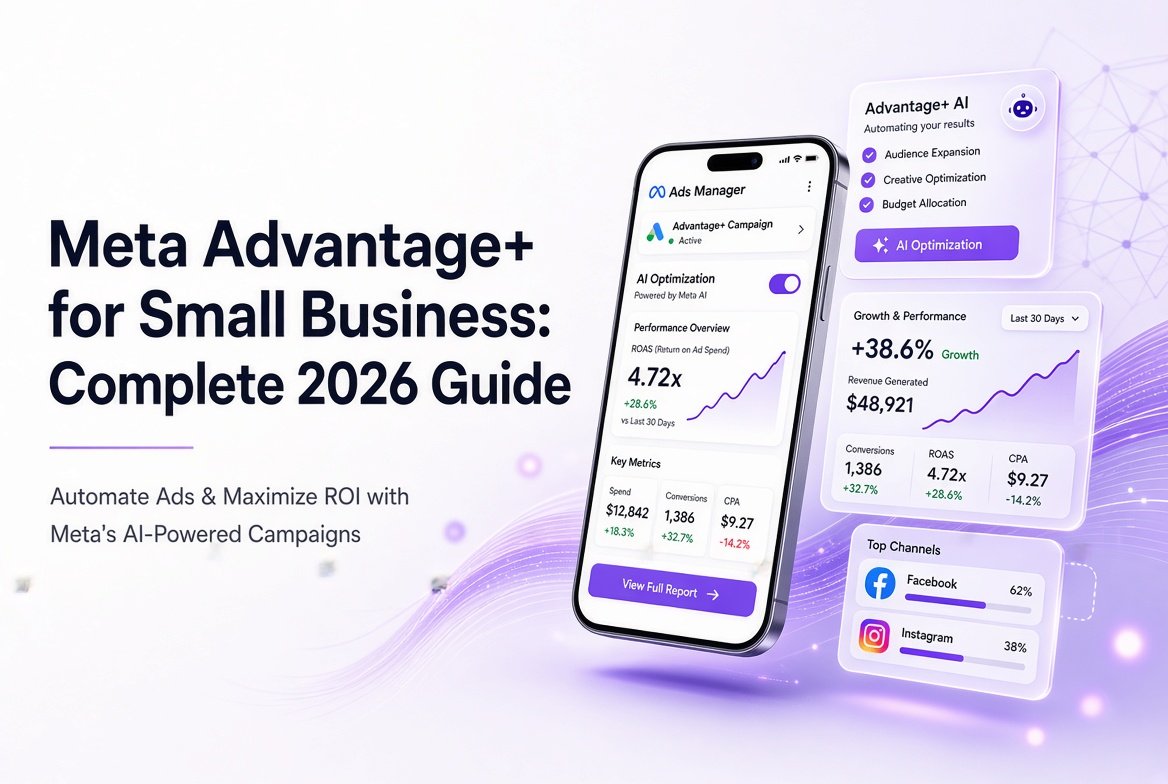
Running digital advertising campaigns used to require hours spent tweaking granular audience demographics, testing micro-interest groups, and manually adjusting placement bids every day. In 2026, machine learning has fundamentally reshaped paid social advertising. Leveraging Meta Advantage+ for small business marketing allows local shops, service providers, and growing e-commerce brands to run high-converting ad campaigns without needing a massive marketing team or a corporate budget.
Meta Advantage+ uses advanced artificial intelligence to automate targeting, creative optimization, ad placement, and budget allocation across Facebook and Instagram. However, knowing how and when to deploy these automated tools is critical to preventing wasted spend.
In this comprehensive guide, you will learn how to set up automated campaigns step by step, set realistic daily budgets, build high-converting ad creatives, and navigate the key choices between automated and manual setups. Whether you are launching Facebook Instagram ads for beginners or optimizing an existing marketing strategy, this guide provides the roadmap to maximize your return on ad spend (ROAS).
What Is Meta Advantage+ and Meta Ads Automation in 2026?
Meta Advantage+ is Meta’s suite of artificial intelligence tools designed to automate key parts of campaign creation, targeting, delivery, and creative rendering. Instead of requiring advertisers to manually define exact target audiences and placement choices, Advantage+ allows you to supply Meta’s algorithm with a business objective, budget parameters, and creative assets.
In 2026, Meta ads automation 2026 capabilities have reached a level of precision where the algorithm analyzes trillions of real-time signals—including browsing habits, content engagement, active devices, and purchase histories—to serve ads to users most likely to take action.
For small businesses, this automation removes much of the guesswork. Instead of spending time testing isolated interest categories, Meta’s dynamic system finds your ideal customers automatically across Facebook feeds, Instagram Stories, Reels, Messenger, and the Audience Network.
Advantage+ vs Manual Campaigns
Understanding Advantage+ vs manual campaigns is essential before spending your first ad dollar. While manual campaigns provide complete control over exact demographic targeting and isolated ad placements, Advantage+ leverages machine learning to scale reach and lower costs.
Pros of Advantage+ Campaigns
Lower Cost Per Acquisition (CPA): Real-time bidding across all placements reduces average acquisition costs.
Reduced Management Time: Eliminates the need for continuous daily manual updates.
Automated Scaling: Prevents audience fatigue by automatically expanding prospective customer reach.
Cons of Advantage+ Campaigns
Limited Demographic Control: Offers fewer strict exclusions for niche targets.
Data Reliance: Performs best when paired with an active Meta Pixel or Conversions API.
Requires Creative Variety: Relies heavily on diverse visual assets to test different audience segments
Core Advantage+ Features for Small Businesses
Meta combines several automated ad products under the Advantage umbrella. Knowing which features benefit your business model saves both time and money.
1. Advantage+ Shopping Campaigns (ASC)
Tailored specifically for e-commerce and retail brands, ASC automates the entire process of testing creative combinations and serving personalized product recommendations to users based on their online shopping behavior.
2. Advantage+ Leads
Designed for service providers, consultants, and local businesses, Advantage+ Leads optimizes lead form placement and automatically pre-fills user information to streamline form completion rates on mobile devices.
3. Advantage+ Creative
This tool dynamically optimizes your uploaded images and videos. It adjusts brightness and contrast, adds contextually relevant background music, applies subtle text overlays, and tweaks aspect ratios to fit Stories, Reels, and Feeds natively.
4. Advantage+ Budget Allocation
Instead of locking ad spend into rigid individual ad sets, Advantage+ Budget dynamically distributes your total campaign budget toward the best-performing ad creative and audience combinations in real time.
Step-by-Step Guide: How to Use Advantage+ Campaigns
If you are setting up your first campaign, learning how to use Advantage+ campaigns correctly ensures your budget goes toward driving real business results.
[Define Objective] ➔ [Select Advantage+] ➔ [Set Budget] ➔ [Upload Creatives] ➔ [PublStep 1: Define Your Campaign Objective
Log into Meta Ads Manager.
Click the green + Create button.
Choose your primary campaign goal (Sales for e-commerce, Leads for service businesses, or Traffic for content promotion).
Step 2: Choose the Advantage+ Campaign Setup
After selecting your objective, Meta will give you a choice between a standard manual campaign setup and an automated Advantage+ setup. Select the Advantage+ option to unlock automated distribution.
Step 3: Establish Your Daily Budget and Schedule
Enter your daily spend limit. For small businesses, start with a daily budget between $15 and $50. Leave the end date open, but set a calendar reminder to review performance after 7 to 10 days.
Step 4: Add Audience Controls (Optional Exclusions)
While Advantage+ targets broadly, you can set broad boundary guidelines under “Audience Controls,” such as:
Specific country, state, or postal code boundaries.
Minimum age requirements.
Custom audience exclusions (e.g., excluding past buyers from seeing acquisition ads).
Step 5: Upload Varied Ad Creatives
Upload 3 to 5 distinct creative variations. Mix dynamic short-form videos with static image graphics and carousel formats. Turn on Advantage+ Creative to permit automatic image enhancements and text variations.
Step 6: Review and Launch
Check that your web landing page destination URL is correct, confirm that your Meta Pixel tracking is active, and click Publish.
Setting a Realistic Meta Ads Budget for Small Business
Determining an effective Meta ads budget small business owners can sustain requires balancing data collection with cash flow constraints.
+-------------------------------------------------------------------+
|                  RECOMMENDED DAILY BUDGET Tiers                   |
+-------------------------------------------------------------------+
|  Tier 1: Local / Service ($10 - $25 / day)                        |
|  - Ideal for local reach, phone calls, and lead form fills.      |
+-------------------------------------------------------------------+
|  Tier 2: Regional E-Commerce ($30 - $75 / day)                     |
|  - Provides enough volume to exit the learning phase faster.      |
+-------------------------------------------------------------------+
|  Tier 3: National Scaling ($100+ / day)                           |
|  - Enables rapid creative testing and high sales volume.          |
+-------------------------------------------------------------------+
The Learning Phase Rule
Meta’s artificial intelligence requires approximately 50 conversion events per week (e.g., purchases or form submissions) to fully optimize a campaign and exit the initial “Learning Phase.”
If your target cost per lead is $10, aim for a daily budget of at least $15–$20 ($105–$140 per week) to give the algorithm adequate conversion volume.
If your product costs $100 and your average acquisition cost is $30, set a daily budget of at least $45–$50.
Winning Advantage+ Creative Strategy
Because automated campaigns handle targeting automatically, your visual ad content is now your primary targeting tool. Developing a strong Advantage+ creative strategy means giving the AI diverse assets so it can target different customer mindsets.
Essential Creative Formats to Include
User-Generated Content (UGC): Short videos filmed on a smartphone featuring real customers unboxing, using, or reviewing your product.
Problem-Solution Videos: A 15-second vertical video (9:16 aspect ratio) that addresses a specific customer pain point within the first 3 seconds.
High-Contrast Single Images: Clean product photos against bold, eye-catching backgrounds with concise headline overlays.
Social Proof Carousels: Multi-card ads highlighting direct customer testimonials, star ratings, and press quotes.
Creative Best Practices
Hook Early: Show the core benefit or state the problem within the first 3 seconds of any video.
Design for Sound-Off Viewing: Use clear text captions, as over 60% of mobile social users watch feeds with audio disabled.
Vary Text Angles: Provide at least 3 primary text variations highlighting different features (e.g., one focused on price savings, one on convenience, and one on quality).
Real-World Small Business Case Study
Background
A boutique plant nursery launched an online store but struggled with high advertising costs ($48 per acquisition) using complex, manual interest-based ad sets targeting gardening hobbies.
The Advantage+ Strategy
Campaign Type: Advantage+ Shopping Campaign (ASC).
Daily Budget: $35 per day.
Creative Variety: 2 UGC unboxing videos, 1 high-resolution carousel of seasonal plants, and 2 static image graphics featuring discount codes.
Targeting: Broad regional targeting with no manual interest filters.
Results Over 30 Days
Cost Per Acquisition (CPA): Dropped from $48 to $21.50 (a 55% reduction).
Return on Ad Spend (ROAS): Increased from 1.6x to 3.8x.
Time Spent Managing Ads: Reduced from 5 hours per week to 45 minutes per week.
Best Practices and Common Pitfalls
Expert Best Practices
Patience Is Critical: Let campaigns run undisturbed for at least 7 days before evaluating metrics or changing budgets.
Implement Server-Side Tracking: Set up Meta Conversions API (CAPI) alongside the Meta Pixel to feed accurate offline conversion data back to Meta’s AI.
Keep Ad Creatives Fresh: Replace low-performing ad creatives every 3 to 4 weeks to prevent ad fatigue.
Guide the AI with Audience Signals: Upload your past customer email lists as custom audiences to help Meta build accurate seed profiles.
Common Pitfalls to Avoid
Editing Campaigns Too Frequently: Changing budgets or swapping images every 48 hours resets the algorithm’s learning phase.
Using Single Creative Formats: Relying only on static image graphics limits how well the AI can optimize across dynamic platforms like Reels.
Ignoring Landing Page Experience: Sending ad traffic to slow-loading or poorly optimized mobile web pages wastes ad spend regardless of ad performance.
Setting Geofences Too Narrowly: Over-restricting geographic locations prevents the algorithm from finding low-cost opportunities outside immediate zip codes.
Conclusion
Using Meta Advantage+ for small business advertising offers an efficient pathway to compete online without managing overly complex ad setups. By allowing machine learning to optimize targeting, placement, and creative delivery, business owners can focus on what matters most: producing authentic content, refining offer messaging, and serving their customers.
To make Advantage+ work for your brand, start with a focused budget, upload varied creative formats, establish accurate pixel tracking, and give the AI sufficient time to optimize.
Ready to scale your digital presence and optimize your ad campaigns with expert guidance? Partner with SMMPro to launch tailored social media marketing strategies, automated Meta ad management, and high-converting paid social campaigns built specifically for growing businesses.
FAQ
FAQs about Meta Advantage+ for Small Business: Complete 2026 Guide
Meta Advantage+ is Meta’s suite of AI-driven automation tools that optimizes audience targeting, ad placement, budget allocation, and creative assets across Facebook and Instagram. It benefits small businesses by eliminating manual ad tweaking and lowering average customer acquisition costs. By leveraging real-time machine learning, Advantage+ helps lean teams scale paid social ads efficiently without requiring a dedicated media buyer.
To set up a Meta Advantage+ campaign, log into Meta Ads Manager, click + Create, choose a campaign objective such as Sales or Leads, and select the automated Advantage+ setup option. Next, enter your daily ad budget, set broad location boundary controls, upload 3 to 6 distinct creative assets, and click publish. Ensuring your Meta Pixel and Conversions API tracking are active before launching is critical for algorithmic optimization.
An effective Advantage+ creative strategy relies on uploading 3 to 6 varied ad assets, including short vertical videos, user-generated content (UGC), dynamic carousels, and high-contrast images. Because Advantage+ uses broad AI targeting, your visual creative acts as your primary targeting tool to appeal to different buyer personas. Enabling Advantage+ Creative enhancements allows Meta to test headline, filter, and aspect-ratio variations automatically.
The recommended minimum daily budget for a small business using Meta Advantage+ is $15 to $25 for local service lead generation and $30 to $50 for online e-commerce stores. This spend level provides Meta’s algorithm with sufficient weekly conversion data—ideally 25 to 50 conversion events—to exit the initial learning phase quickly and maintain stable ad delivery costs.
Meta ads automation in 2026 uses generative AI within Advantage+ Creative to automatically adjust brightness, scale image aspect ratios for Instagram Reels and Stories, add contextually relevant background audio, and test alternative primary text placements. These dynamic enhancements reduce creative production overhead while ensuring ad assets fit natively across every Facebook, Instagram, and Audience Network placement
No, Meta Advantage+ does not completely eliminate the need for strategic human oversight and control. While the algorithm handles real-time delivery and interest expansion, advertisers must still set geographic location boundaries, configure existing customer budget caps, define messaging strategy, and supply fresh visual assets. Over-relying on automation without regularly refreshing ad creatives often leads to rapid audience ad fatigue.
A small business should wait 7 to 10 days before evaluating Meta Advantage+ campaign performance or making strategic account edits. Making adjustments to campaign budgets, targeting parameters, or creative assets within the first week resets the algorithm’s learning phase, causing performance fluctuations and inaccurate conversion cost readings.
Advantage+ campaigns outperform manual campaigns in setup speed, placement efficiency, and overall cost per acquisition for broad consumer products and lead generation. Manual campaigns offer greater control for strict demographic exclusions, narrow geographic radii, or highly specialized B2B offers. Many growing businesses utilize a hybrid approach, using Advantage+ for broad prospecting and manual ad sets for tailored local promotions.
An existing customer budget cap is a control setting within Meta Advantage+ Shopping Campaigns that limits what percentage of your total spend goes toward retargeting past buyers. Setting this cap between 20% and 30% prevents Meta’s algorithm from spending excessively on existing customers, ensuring the majority of your budget drives new prospective customer acquisition.
If an Advantage+ campaign’s performance drops, refresh your ad creative mix by introducing new short-form vertical video variations, verify your Meta Pixel tracking setup, and check that your existing customer budget cap is active. Consolidating fragmented ad set budgets into a single master campaign also stabilizes performance. Businesses experiencing persistent tracking or scaling issues can consult with digital marketing specialists at SMMpro for an ad account audit.