
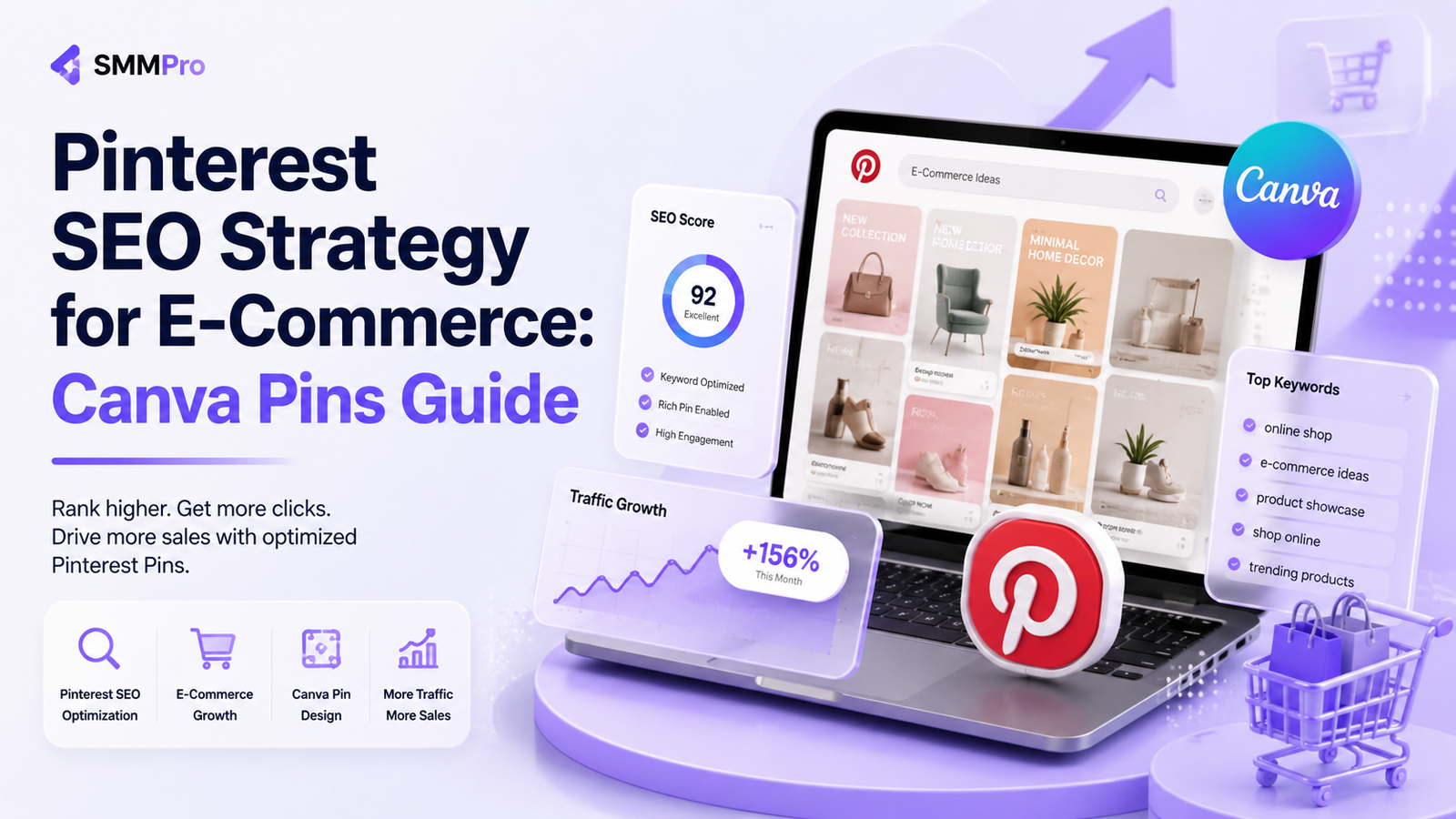
Running an e-commerce store without visual search traffic is like opening a shop on a quiet side street. While most store owners burn through budgets on paid ad platforms, savvy merchants build a repeatable pinterest seo strategy for ecommerce to drive continuous, high-intent traffic without spending a dime on ad clicks.
Pinterest is not a standard social media network where your posts vanish after 24 hours. It is a visual discovery engine where shoppers actively search for inspiration, solutions, and product recommendations. A single well-optimized pin can index on search engines and generate consistent sales for months—and even years.
When you combine visual search optimization with scalable design techniques, you build a powerful pinterest organic traffic funnel that turns casual scrollers into paying customers. In this step-by-step guide, you will learn how to set up your store profile, conduct pinterest keyword research for shopify, and create viral pinterest pins in canva that land at the top of search results.
Understanding Pinterest as a Visual Search Engine
To rank on Pinterest, you must treat it like Google, not Instagram. Users open Pinterest with clear purchase intent. They search using specific phrases to discover physical products, home decor inspirations, fashion ideas, and lifestyle goods.
[ User Searches Query ] ➔ [ Visual Search Engine Matches Keywords & Image Visuals ] ➔ [ High-Intent Click to E-Commerce Store ]
When users input a query, Pinterest’s algorithm evaluates three core signals:
Domain Quality: How trustworthy and relevant your verified e-commerce domain is.
Pin Quality: How often users click, save, or zoom in on your visual pins.
Topic Relevance: How well your pin titles, descriptions, and board titles match the user’s intent.
By aligning your shop with these ranking factors, you build a perpetual buyer engine that brings organic visitors straight to your Shopify or WooCommerce product pages.
Building Your Pinterest Business Account Growth Strategy
A generic personal profile will not yield commercial results. You need an optimized business hub that signals authority to search spiders. Executing a solid pinterest business account growth strategy begins with proper account technical setup.
Step 1: Switch to a Free Business Account
Upgrading to a business profile grants access to rich analytics, merchant storefront features, and rich pins support.
Step 2: Claim Your E-Commerce Domain
Claiming your domain verifies your brand authority. When anyone pins images directly from your online store, your profile photo and link will automatically stay attached to those pins.
Step 3: Enable Rich Pins
Rich Pins extract metadata directly from your store pages. E-commerce stores rely on Product Rich Pins, which display real-time pricing, stock status, and direct store link buttons right inside the pin detail view.
How to Optimize Pinterest Board Titles for SEO
Boards serve as the structural categories for your visual search profile. If your boards lack clear keyword targeting, the algorithm will struggle to categorize your products.
❌ Bad Board Title: "Stuff I Love" or "Cool Items"
✔ Good SEO Board Title: "Modern Minimalist Home Decor Ideas"
To properly optimize pinterest board titles for seo, follow these straightforward steps:
Use Explicit Keywords: Avoid clever puns. Name boards using exact search phrases customers type into search bars.
Write Keyword-Rich Board Descriptions: Draft a 2 to 3 sentence overview for every board. Incorporate long-tail search phrases naturally.
Group Similar Products Logicaly: Create dedicated boards for subcategories (e.g., Handmade Ceramic Coffee Mugs, Boho Living Room Rugs).
Mastering Pinterest Keyword Research for Shopify Stores
Keyword research on Pinterest differs from traditional Google search research. You want to capture visual search queries and intent-filled lifestyle terms. Conducting dedicated pinterest keyword research for shopify helps you discover the precise vocabulary your shoppers use.
                        ┌─── Primary Keyword: "Leather Backpack"
                        │
Pinterest Guided Search ├─── Modifiers: "for women", "vintage", "work laptop"
                        │
                        └─── High-Intent Phrase: "Vintage Leather Laptop Backpack for Women
Step 1: Switch to a Free Business Account
Upgrading to a business profile grants access to rich analytics, merchant storefront features, and rich pins support.
Step 2: Claim Your E-Commerce Domain
Claiming your domain verifies your brand authority. When anyone pins images directly from your online store, your profile photo and link will automatically stay attached to those pins.
Step 3: Enable Rich Pins
Rich Pins extract metadata directly from your store pages. E-commerce stores rely on Product Rich Pins, which display real-time pricing, stock status, and direct store link buttons right inside the pin detail view.
How to Optimize Pinterest Board Titles for SEO
Boards serve as the structural categories for your visual search profile. If your boards lack clear keyword targeting, the algorithm will struggle to categorize your products.
❌ Bad Board Title: "Stuff I Love" or "Cool Items"
✔ Good SEO Board Title: "Modern Minimalist Home Decor Ideas"
To properly optimize pinterest board titles for seo, follow these straightforward steps:
Use Explicit Keywords: Avoid clever puns. Name boards using exact search phrases customers type into search bars.
Write Keyword-Rich Board Descriptions: Draft a 2 to 3 sentence overview for every board. Incorporate long-tail search phrases naturally.
Group Similar Products Logicaly: Create dedicated boards for subcategories (e.g., Handmade Ceramic Coffee Mugs, Boho Living Room Rugs).
Mastering Pinterest Keyword Research for Shopify Stores
Keyword research on Pinterest differs from traditional Google search research. You want to capture visual search queries and intent-filled lifestyle terms. Conducting dedicated pinterest keyword research for shopify helps you discover the precise vocabulary your shoppers use.
                        ┌─── Primary Keyword: "Leather Backpack"
                        │
Pinterest Guided Search ├─── Modifiers: "for women", "vintage", "work laptop"
                        │
                        └─── High-Intent Phrase: "Vintage Leather Laptop Backpack for Wome
1. Pinterest Search Auto-Complete
Type your primary product name into the main Pinterest search bar. Pay attention to the automated drop-down suggestions. These auto-complete phrases reflect real-time user volume and high-intent customer searches.
2. Guided Search Color Tiles
After pressing enter on a search term, examine the horizontal tile suggestions appearing beneath the search bar. These tiles represent modifier keywords. Combining your main term with these modifiers yields perfect long-tail keywords.
3. Pinterest Trends Tool
Use the free Pinterest Trends tool to compare search volumes across seasons. Identify when interest spikes for specific holiday products so you can post your pins 45 to 60 days before peak shopping seasons.
Designing High-Click Canva Pins That Drive Sales
Having great keywords means little if your graphics fail to earn clicks. Learning how to create viral pinterest pins in canva allows you to produce high-performing visual assets quickly without hiring expensive agencies.
Pin Anatomy Best Practices
Aspect Ratio: Always use a 2:3 vertical aspect ratio (1000 x 1500 pixels). Horizontal or square images perform poorly in Pinterest feeds.
Bold Text Overlays: Add easy-to-read, high-contrast text that communicates a clear benefit or problem-solver.
Product-In-Use Imagery: Feature lifestyle shots of your products being used, rather than flat white-background images.
Brand Consistency: Subtle logo placement and clear brand colors build recognition without obscuring the main image.
Step-by-Step Canva Production Workflow
1. Open Canva ➔ Search for "Pinterest Pin Template" (1000x1500px)
2. Import high-resolution product photography
3. Add a high-contrast text headline container
4. Insert strong call-to-action button graphics ("Shop Now", "Get Inspired")
5. Batch design 5 distinct visual variations per product page
How to Rank Pinterest Pins on Google Search
Many store owners overlook that Pinterest content ranks heavily on Google SERPs. Knowing how to rank pinterest pins on google opens up two search channels simultaneously from one effort.
[ Your Canva Pin ] ──► [ Ranks on Pinterest Search ] ──► [ Indexed by Google Bot ] ──► [ R1. Optimize Image File Names
Before uploading graphics into Canva or Pinterest, rename your image file with target keywords (e.g., boho-ceramic-coffee-mug.jpg).
2. Write Context-Rich Pin Descriptions
Avoid short, single-sentence descriptions. Draft 3 to 4 detailed sentences incorporating secondary keywords, synonyms, and natural semantic phrasing.
3. Build Organic Backlinks to Your Pins
Embed your top-performing Pinterest pins inside your store’s blog posts or guest articles. External link signals help Google recognize your pins as authoritative resources.
E-Commerce Pinterest SEO Strategy Matrix
| Optimization Layer | Key Target Elements | Recommended Execution Frequency | Expected SEO Impact |
|---|---|---|---|
| Account Level | Verified Domain, Rich Pins, Bio Keywords | One-time setup (Quarterly Review) | High (Domain Authority) |
| Board Category | Exact-Match Titles, Categorized Descriptions | Monthly / As catalog grows | High (Content Taxonomy) |
| Keyword Strategy | Auto-Complete, Guided Tiles, Trends Tool | Monthly Research | High (Search Matching) |
| Visual Assets | 2:3 Canvas, Canva Batching, High Contrast Overlay | Weekly Publishing | Very High (Click-Through Rate) |
| On-Page Metadata | Product URLs, Keyword Alt Text, SEO Titles | Daily / Per Upload | High (Google & Pinterest Indexing) |
Expert Tips for E-Commerce Store Owners
Pin Fresh Content Daily: Pinterest favors accounts that consistently post new visual images over accounts that repeatedly re-pin old graphics.
Create Multiple Pins Per Product: Design 4 to 6 unique Canva graphics for a single product page by altering colors, headline text, and layout styles.
Incorporate Video Pins: Short 5-to-15 second video clips highlighting product close-ups get priority placement at the top of search result feeds.
Leverage Seasonal Trends Early: Publish your holiday gift guides, Halloween decor, or summer fashion pins at least 2 months prior to the holiday.
Common Pinterest Marketing Mistakes to Avoid
Using Horizontal Images: Standard 16:9 landscape images get compressed and lost in mobile search feeds.
Deleting Underperforming Pins: Pins take 3 to 6 months to gain full search traction. Never delete older pins, as they can suddenly trend months later.
Keyword Stuffing: Avoid listing disconnected keywords separated by commas. Write natural, flowing sentences containing your keywords.
Linking to Broken Pages: Always verify that destination URLs link directly to active product purchase pages, not missing 404 pages.
Conclusion
Implementing a dedicated pinterest seo strategy for ecommerce is one of the most reliable ways to secure sustainable, organic buyer traffic for your online business. By transforming your store’s catalog into keyword-optimized Pinterest boards and publishing clean, custom Canva graphics, you build an automated visual search funnel.
Remember that success on Pinterest depends on strategic patience and consistent execution. Focus on understanding your audience’s visual search intent, optimize your metadata, and refine your pin graphics over time. As your domain authority builds, your store will reap the rewards of steady traffic and long-term organic sales.
FAQ
FAQs about Pinterest SEO For E-Commerce: Canva Pins Guide
Social media marketing for small businesses is the strategic use of platforms like Instagram, Facebook, TikTok, and LinkedIn to build brand awareness, engage local target audiences, and drive customer conversions. It enables small businesses to compete with established brands cost-effectively by establishing direct digital relationships with their ideal customers.
To create a budget-friendly social media strategy, select two primary platforms where your target audience is most active, define clear business goals, and build a monthly content calendar. Utilizing free design software and native scheduling tools minimizes operational costs, while dedicating a small budget to boosting high-performing organic posts accelerates reach without overspending.
A small business should ideally post 3 to 5 times per week on core channels like Instagram and Facebook, and up to once daily on fast-paced platforms like TikTok. Maintaining consistency and high content quality is far more critical for algorithm performance and audience retention than publishing low-quality posts daily.
Yes, attempting to maintain an active presence on every social media platform is a common mistake that leads to resource depletion and lower content quality. Small businesses achieve a significantly higher return on investment by focusing deeply on 1 to 2 channels where their core customers actually spend time rather than spreading their efforts too thin.
Organic social media marketing typically produces noticeable growth in engagement and website referral traffic within 3 to 6 months of consistent publishing. Paid advertising campaigns can generate sales leads within days, but building long-term brand authority, customer trust, and organic search synergies requires continuous optimization over several quarters.
Facebook and Instagram are generally the best social media platforms for local service businesses due to their precise location tagging, visual portfolio capabilities, and local community groups. Combining Instagram’s visual social proof with targeted local Facebook advertising allows service providers to directly reach customers in their specific geographic area.
Startups managing social media in-house typically spend between $100 and $500 per month on basic design tools, content scheduling tools, and initial ad testing. Partnering with a specialized digital agency or hiring dedicated social media professionals generally ranges from $300 to $1,500 monthly, depending on content volume, ad management, and campaign complexity.
A small business should ideally combine organic content creation with targeted paid advertising for sustainable digital growth. Organic posting establishes brand credibility, fosters customer trust, and builds long-term community loyalty, while paid social ads provide immediate visibility, precise demographic targeting, and scalable customer acquisition.
Short-form video, behind-the-scenes stories, customer testimonials, and educational problem-solving posts consistently deliver the highest engagement rates for small business accounts. Authentic, humanized content that highlights real business processes and directly answers customer questions outperforms overly polished traditional advertising.
A small business should hire a professional agency when internal staff lack the bandwidth, strategic expertise, or technical tools needed to maintain consistent posting, optimize ad spend, or track analytical ROI. Partnering with a performance-driven team like SMMpro allows business owners to access end-to-end strategy, creative production, and paid